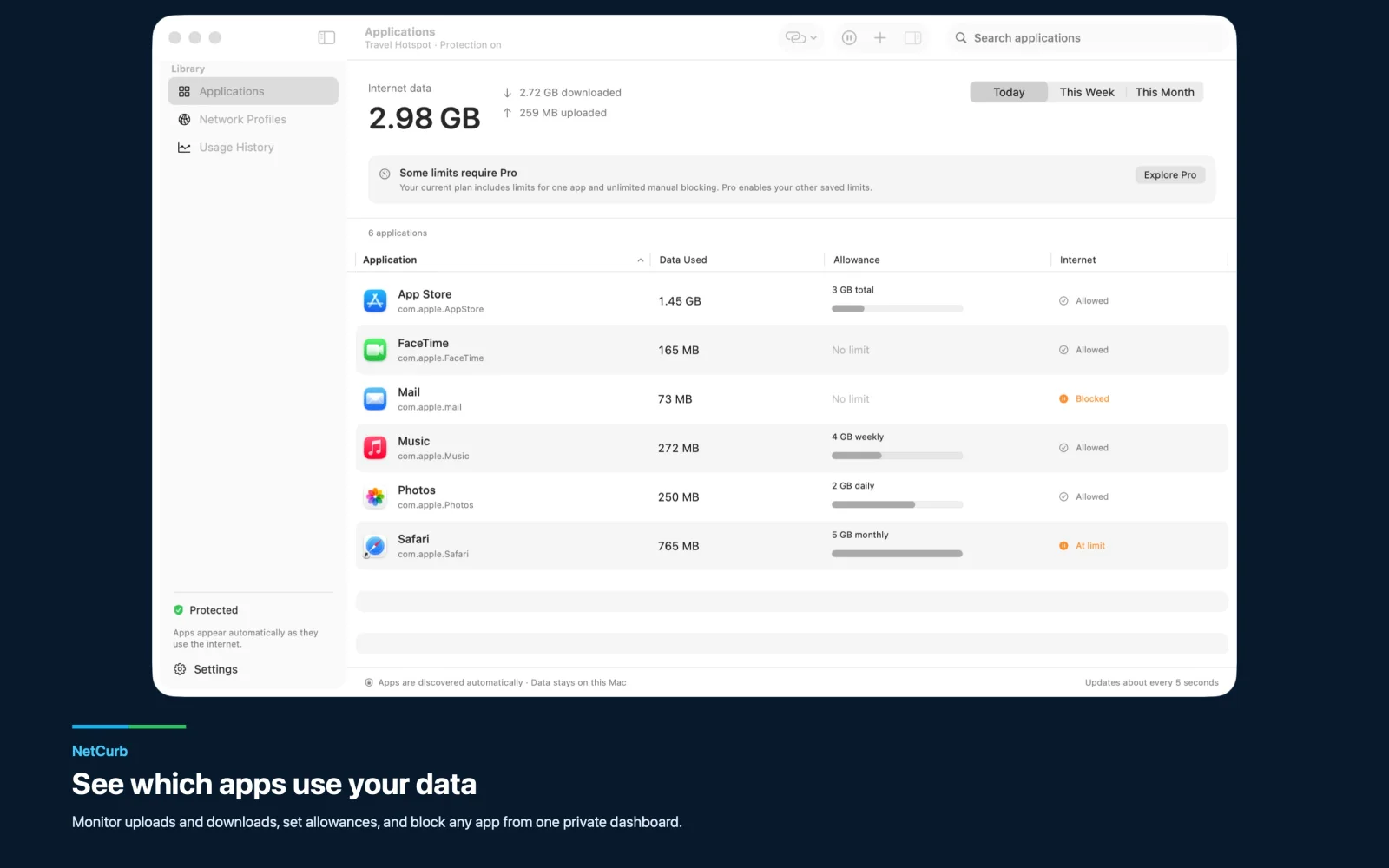
See identified apps as they connect, with separate upload and download totals for today, this week, and this month.
Per-app data control for macOS
Keep background apps from draining your hotspot.
When your Mac is tethered to your phone, NetCurb shows which apps are using data and lets you stop the ones that can wait. Give meetings and messages room to work without letting sync, backups, media, or updates quietly consume the trip.
Per-app usage
Manual blocking
Travel profiles
Data allowances
Private local records
No subscription
Free download · Lifetime Pro available · macOS 26 or later
Control the Mac, not the whole connection
Decide which apps get to use limited data.
NetCurb measures supported apps on this Mac. It does not pretend to know your carrier balance or the data used by other devices.
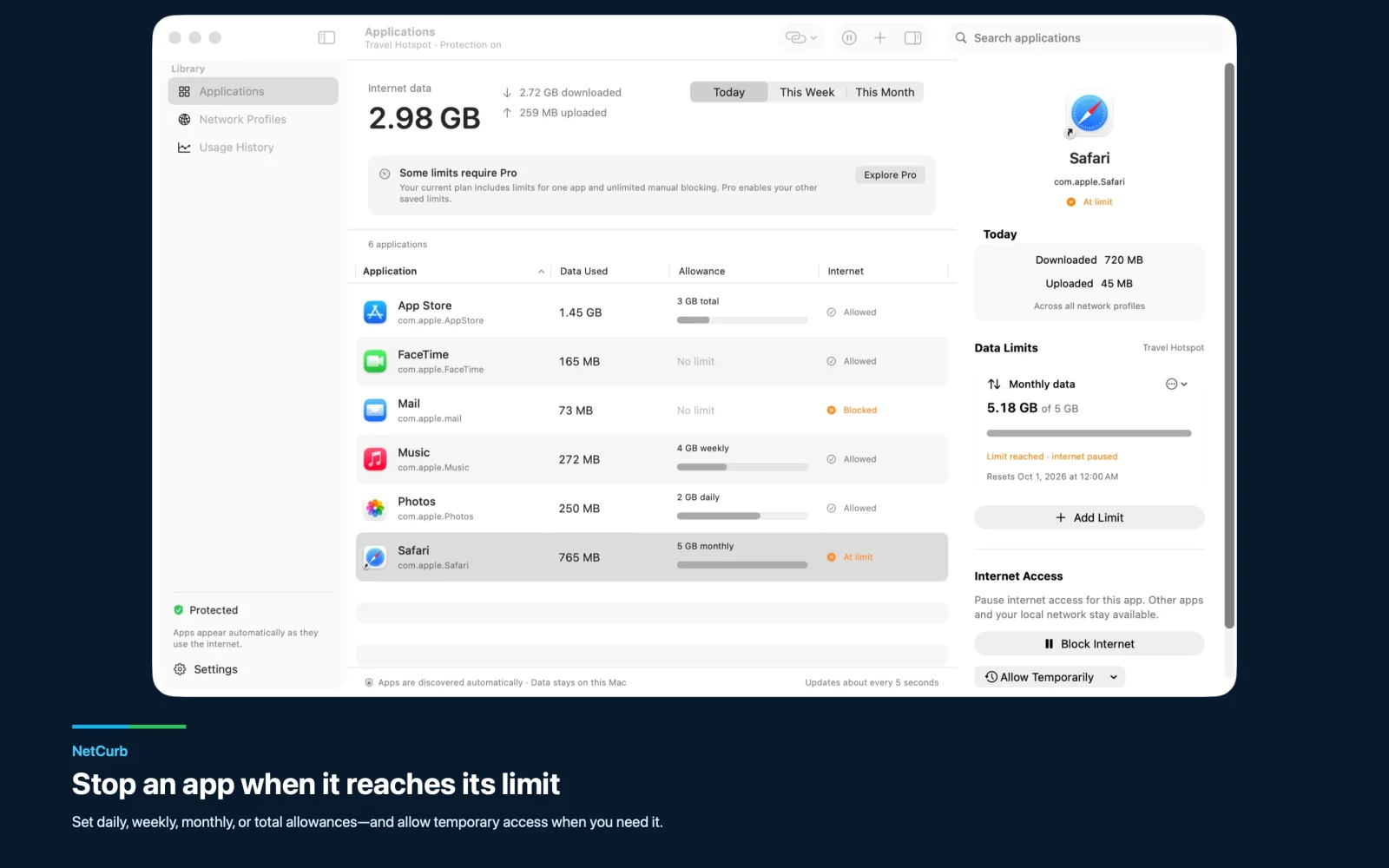
Pause an app’s internet access manually without an app-count paywall, then allow it again when the connection is ready.
Use combined, upload, or download limits that reset daily, weekly, monthly, or never.
Reserve a crowded hotspot for messages, meetings, maps, or the work app that matters right now.
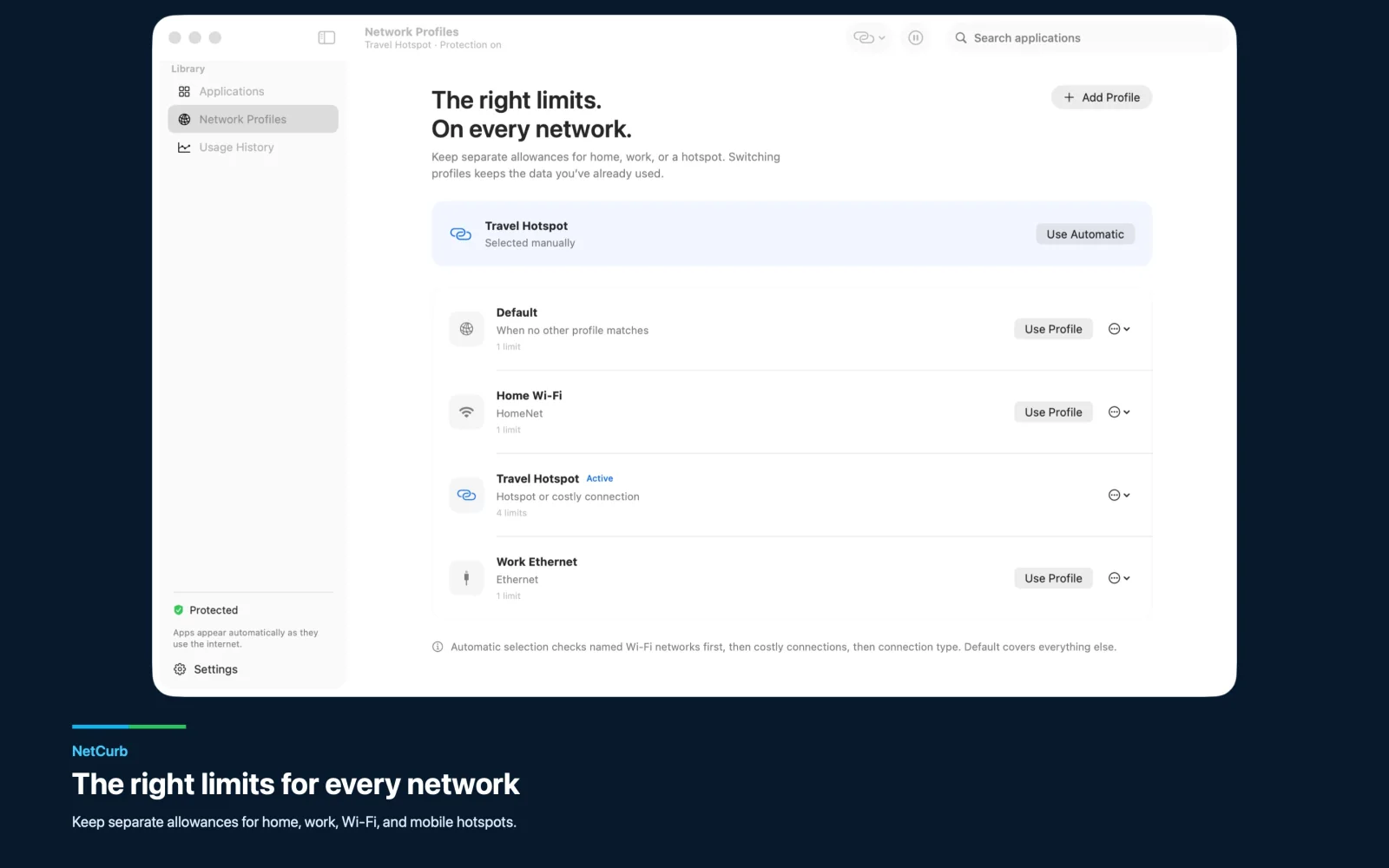
Apply different rules at home, at work, on named Wi-Fi, or when macOS marks a connection as costly.
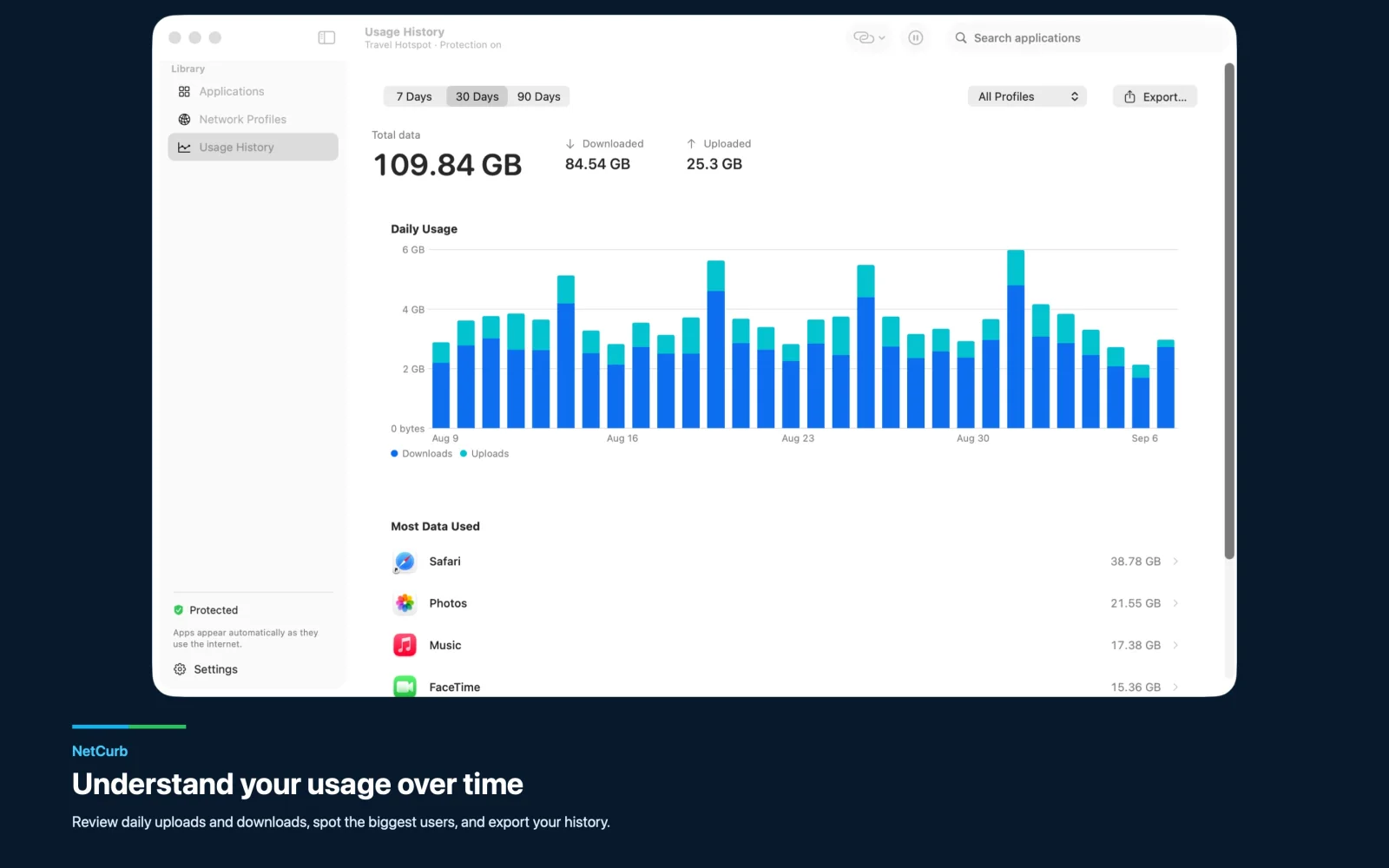
Inspect daily history, find the biggest users, and export aggregate records to CSV when you need them.
Built for the moment tethering gets expensive
Let the right apps through on a trip.
A phone hotspot can disappear into cloud sync, photo uploads, downloads, media, and software updates before you notice. NetCurb makes that background activity visible per app.
Set tighter limits for the trip, block nonessential apps, and give temporary access when one needs to finish a task. Other apps and your local network remain available.
Phone hotspots
Roaming data
Hotel Wi-Fi
Satellite internet
A different budget for every connection
Home rules should not follow you onto a hotspot.
Create separate profiles for home, work, hotel Wi-Fi, satellite service, or a Travel Hotspot. Choose one manually or match a named Wi-Fi network, connection type, or costly connection.
Each profile keeps its own limits, so switching networks does not spend the data you already used somewhere else.
Private by design
Your usage records stay on your Mac.
NetCurb needs no account or cloud service. Settings and aggregate usage stay local, and the app includes no analytics or advertising trackers.
NetCurb does not record traffic content, destinations, or browsing history. It measures approximately how much data each supported app uses—not what the app sends or where it goes.
No account
No cloud service
No traffic content
Data not collected
Useful before you pay
Start free. Upgrade once if you need more limits.
Free
Monitor and take control
- Monitoring for supported apps
- Manual blocking without an app-count paywall
- Data limits for one app across all profiles
- Usage history and CSV export
Lifetime Pro
Add limits for more apps
Unlock data limits for additional apps with one purchase. Monitoring and manual blocking stay available without Pro.
No subscription.Common questions
NetCurb FAQ
Does NetCurb show the balance on my phone plan?
No. NetCurb measures supported apps on this Mac. It cannot read your carrier balance or the usage from your phone and other devices.
Can I block apps without buying Pro?
Yes. Manual internet blocking does not have an app-count paywall. Free also includes data limits for one app across all network profiles.
What does Lifetime Pro add?
Lifetime Pro unlocks data limits for additional apps with one purchase. It is not a subscription.
Does NetCurb inspect my browsing or network traffic?
No. NetCurb records aggregate usage, not traffic content, destinations, or browsing history. Your settings and usage records stay on your Mac.
Are data limits exact?
Usage is measured periodically, so totals are approximate and a limit can overrun. Common local-network address ranges are excluded.
What happens when I close NetCurb?
Closing the dashboard keeps protection running. Explicitly quitting NetCurb stops protection and allows internet access.
Travel with a plan for your Mac’s data
Keep the apps you need online.
See where your hotspot data goes, pause background apps, and apply limits that fit the network you are on.